Small Room Projector Setup: A Practical Buying Checklist
Research-based planning guide · November 10, 2026. We have not hands-on tested the products mentioned. Links in this version are ordinary source or retailer links. See our Affiliate Disclosure.
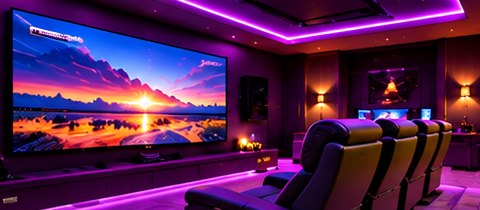
Illustrative image; not a verified product installation.
A projector can turn a compact room into a special place for movie night, but choosing by screen size alone is a common planning mistake. Begin with the wall, lens position, seating, and light in your actual room.
Measure image width and lens distance
Throw ratio relates projection distance to image width. Using the standard relationship described in BenQ’s guide, distance equals image width multiplied by throw ratio. For example, an 80-inch-wide image and a 1.2 throw ratio imply a 96-inch lens-to-screen distance. This is an illustrative calculation, not a recommendation for a particular model.
Screen diagonal and image width are different measurements. Also leave room for the projector body, connectors, and ventilation; the distance to the back wall is not automatically the distance from the lens.
Compare the placement options
| Option | Why consider it? | What to check |
|---|---|---|
| Standard throw | A lens position farther from the screen may fit existing furniture | Available distance, mounting position, and sightlines |
| Short throw | A closer lens position may suit some compact layouts | Exact throw range, image offset, and people crossing the beam |
| Television | A straightforward alternative for a multipurpose room | Preferred size, wall or stand space, and viewing needs |
These are planning choices rather than a ranking. “Short throw” is not enough information to confirm a fit: check the model’s actual specifications and manufacturer calculator.
Plan for the time you will watch
Visit the room during your usual viewing hours. Note windows, lamps, and light falling directly on the screen wall. Decide whether curtains and lighting changes are realistic. Before committing to a projector, compare the convenience of a television under those same conditions.
Choose the screen and projector together
Do not order the biggest screen that fits the wall and hope the projector will match it. Check image size, aspect ratio, lens range, mounting height, and the space remaining for speakers or furniture. BenQ provides a projection calculator for model-specific planning; use the final installation manual before drilling or mounting.
Make a connection checklist
- Which device supplies streaming, games, or films?
- Which video connections and cables are needed?
- How will sound reach the speakers or soundbar?
- Where are the power outlets, and can cables be routed safely?
- Will the projector remain installed or be put away after use?
Budget for the whole evening
Separate the projector price from screen, mount, cabling, audio, light control, and installation. If you play games, check the supported resolution, refresh rate, and input-lag specifications for the mode you intend to use. Avoid assuming that a headline specification applies in every operating mode.
A simple final decision
Choose a projector only after you can place its lens, confirm the image size, manage the room lighting, and connect your sources. If those steps feel awkward, change the layout or compare a television before stretching the budget.